목표
gemini API를 활용해서 텍스트를 생성하고, 비디오 내용을 분석한다.
1. Generate text using Gemini
Cloud Shell에서 Gemini API를 활용하여 질문에 대한 답을 생성한다.
먼저 명시된 환경변수 셋팅해주기.
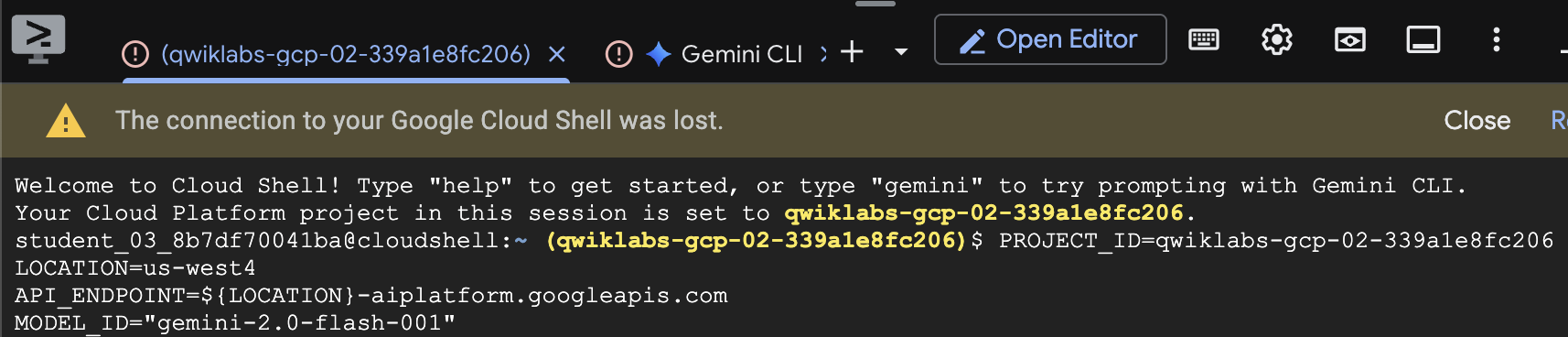
Gemini APIs를 활성화시키라고 나왔는데, Cloud Console에 Vertex AI 메뉴 대쉬보드에서 보니 이미 활성화되어있어서 따로 적어줄 필요는 없었다.
그리고 curl command로 Why is sky blue라는 질문을 싣어 모델을 호출한다.
curl \
 -H "Authorization: Bearer $(gcloud auth print-access-token)" \
  -H "Content-Type: application/json" \
  https://${API_ENDPOINT}:generateContent \
-d '{
  "contents": {
    "role": "user",
    "parts": {
      "text": "Why is the sky blue?"
    }
  }
}'
2. Create a function call using Gemini
이제 Vertex AI > workbench 환경에서 작업한다.
이 워크벤치의 고질적인 문제는 주피터랩 열면 아무런 파일도 안보여서 맨날 체크박스 누르고 reset을 눌러야함..
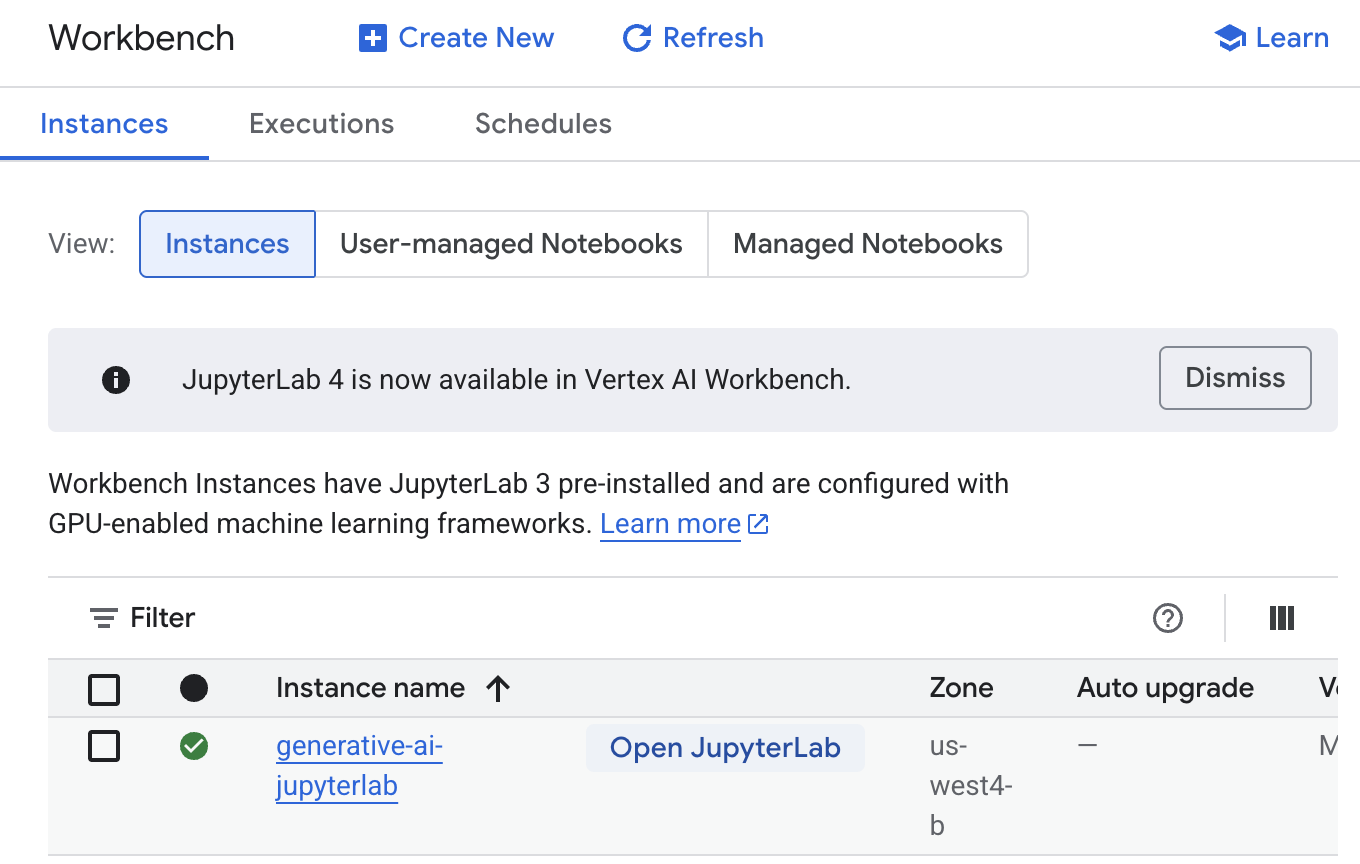
아래와 같이 모델을 정의해준다.
# Task 3.1
# use the following documentation to assist you complete this cell
# https://cloud.google.com/vertex-ai/generative-ai/docs/model-reference/function-calling
# Load Gemini 2.0 Flash 001 Model
model_id = "gemini-2.0-flash-001"
모델이 json input 형식을 생성할 수 있게 FunctionDeclaration 로 호출한다.
# Task 3.2
# use the following documentation to assist you complete this cell
# https://cloud.google.com/vertex-ai/generative-ai/docs/model-reference/function-calling
get_current_weather_func = FunctionDeclaration(
    name="get_current_weather",
    description="Get the current weather in a given location",
    parameters={
        "type": "object",
        "properties": {
            "location": {
                "type": "string",
                "description": "Location"
            }
        }
    },
)# Task 3.3
# use the following documentation to assist you complete this cell
# https://cloud.google.com/vertex-ai/generative-ai/docs/model-reference/function-calling
weather_tool = Tool(
function_declarations=[get_current_weather_func],
)# Task 3.4
# use the following documentation to assist you complete this cell
# https://cloud.google.com/vertex-ai/generative-ai/docs/model-reference/function-calling
prompt = "What is the weather like in Boston?"
response = client.models.generate_content(
model=model_id,
contents=prompt,
config=GenerateContentConfig(
tools=[weather_tool],
temperature=0,
),
)
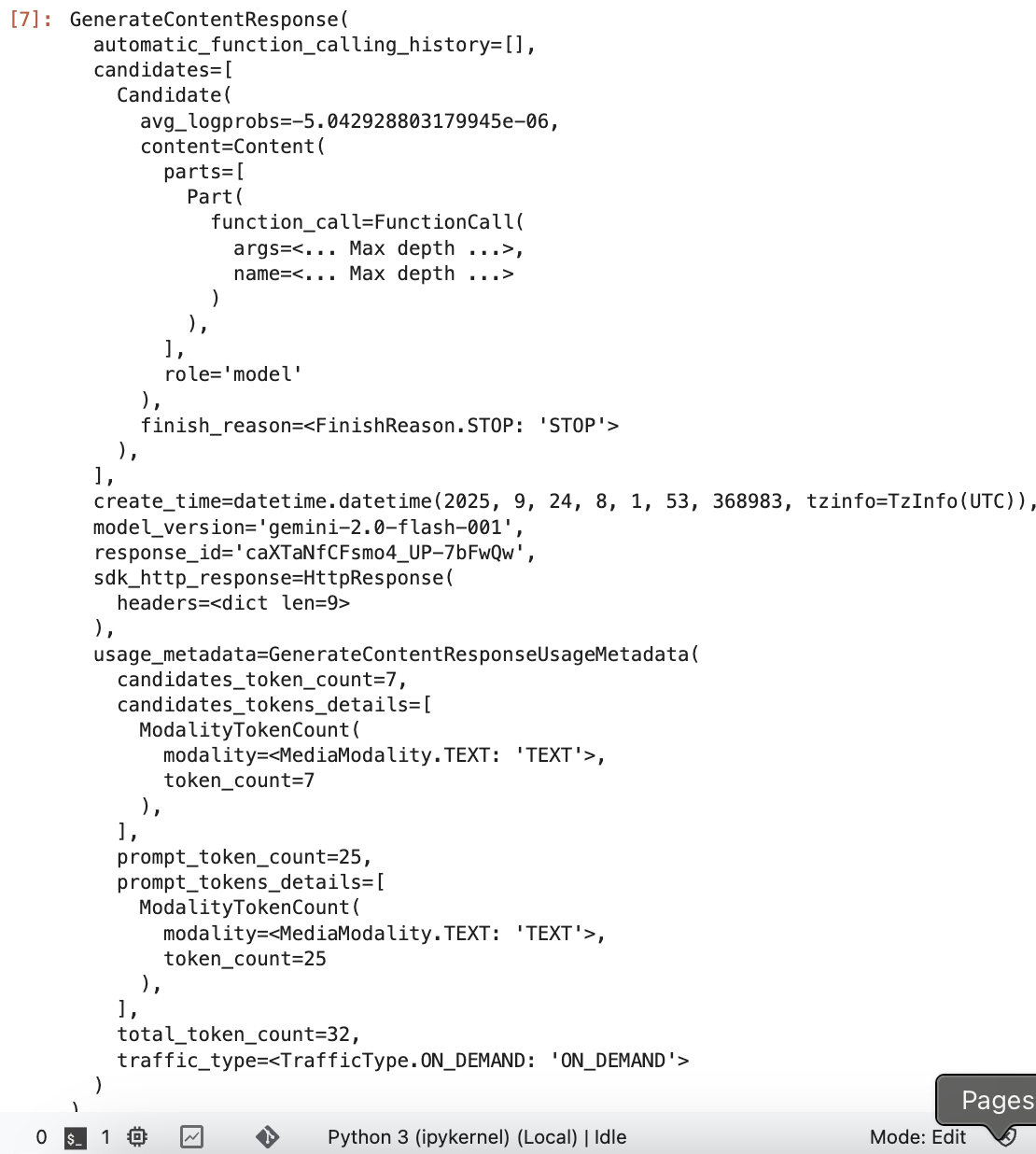
response
이렇게 셀을 실행하면, 아래와 같이 response가 온다.
3. Describe video contents using Gemini
gemini API를 사용해서 비디오 컨텐츠 내용을 설명하는 거다.
jupyterlab 환경에서 마찬가지로 cell에서 UPDATE 하라는 곳을 고치고, 실행해주면 된다.
# Run the following cell to import required libraries
from google.genai.types import (
    GenerationConfig,
    Image,
    Part,
)# Task 4.1
# Load the correct Gemini model use the following documentation to assist:
# https://cloud.google.com/vertex-ai/docs/generative-ai/multimodal/overview#supported-use-cases
# Load Gemini 2.0 Flash 001 Model
multimodal_model = "gemini-2.0-flash-001"import http.client
import typing
import urllib.request
import IPython.display
from PIL import Image as PIL_Image
from PIL import ImageOps as PIL_ImageOps
def display_images(
images: typing.Iterable[Image],
max_width: int = 600,
max_height: int = 350,
) -> None:
for image in images:
pil_image = typing.cast(PIL_Image.Image, image._pil_image)
if pil_image.mode != "RGB":
# RGB is supported by all Jupyter environments (e.g. RGBA is not yet)
pil_image = pil_image.convert("RGB")
image_width, image_height = pil_image.size
if max_width < image_width or max_height < image_height:
# Resize to display a smaller notebook image
pil_image = PIL_ImageOps.contain(pil_image, (max_width, max_height))
IPython.display.display(pil_image)
def get_image_bytes_from_url(image_url: str) -> bytes:
with urllib.request.urlopen(image_url) as response:
response = typing.cast(http.client.HTTPResponse, response)
image_bytes = response.read()
return image_bytes
def load_image_from_url(image_url: str) -> Image:
image_bytes = get_image_bytes_from_url(image_url)
return Image.from_bytes(image_bytes)
def display_content_as_image(content: str | Image | Part) -> bool:
if not isinstance(content, Image):
return False
display_images([content])
return True
def display_content_as_video(content: str | Image | Part) -> bool:
if not isinstance(content, Part):
return False
part = typing.cast(Part, content)
file_path = part.file_data.file_uri.removeprefix("gs://")
video_url = f"https://storage.googleapis.com/{file_path}"
IPython.display.display(IPython.display.Video(video_url, width=600))
return True
def print_multimodal_prompt(contents: list[str | Image | Part]):
"""
Given contents that would be sent to Gemini,
output the full multimodal prompt for ease of readability.
"""
for content in contents:
if display_content_as_image(content):
continue
if display_content_as_video(content):
continue
print(content)# Task 4.2 Generate a video description
# In this cell, update the prompt to ask Gemini to describe the video URL referenced.
# You can use the documentation at the following link to assist.
# https://cloud.google.com/vertex-ai/docs/generative-ai/multimodal/sdk-for-gemini/gemini-sdk-overview-reference#generate-content-from-video
# https://cloud.google.com/vertex-ai/generative-ai/docs/model-reference/inference#sample-requests-text-stream-response
# Video URI: gs://github-repo/img/gemini/multimodality_usecases_overview/mediterraneansea.mp4
prompt = """
What is shown in this video?
Where should I go to see it?
What are the top 5 places in the world that look like this?
"""
video = Part.from_uri(
file_uri="gs://github-repo/img/gemini/multimodality_usecases_overview/mediterraneansea.mp4",
mime_type="video/mp4",
)
contents = [prompt, video]
responses = client.models.generate_content_stream(
model=multimodal_model,
contents=contents
)
print("-------Prompt--------")
print_multimodal_prompt(contents)
print("\n-------Response--------")
for response in responses:
print(response.text, end="")
가장 애먹었던 부분은 아래와 같다.
아래와 같이 client.models.generate_content 메소드로 호출했을때, 원래 적혀있는 responses 출력 코드대로 하면 response가 찍히지 않고 AttributeError가 났다.
responses = client.models.generate_content(
    model=multimodal_model,
    contents=contents
)print("\n-------Response--------")
for response in responses:
print(response.text, end="")
그래서 print 문에 responses를 그냥 한번에 찍어봤는데, 에러없이 아래와 같이 잘 출력되는 것이다??
print("\n-------Response--------")
print(responses,'확인')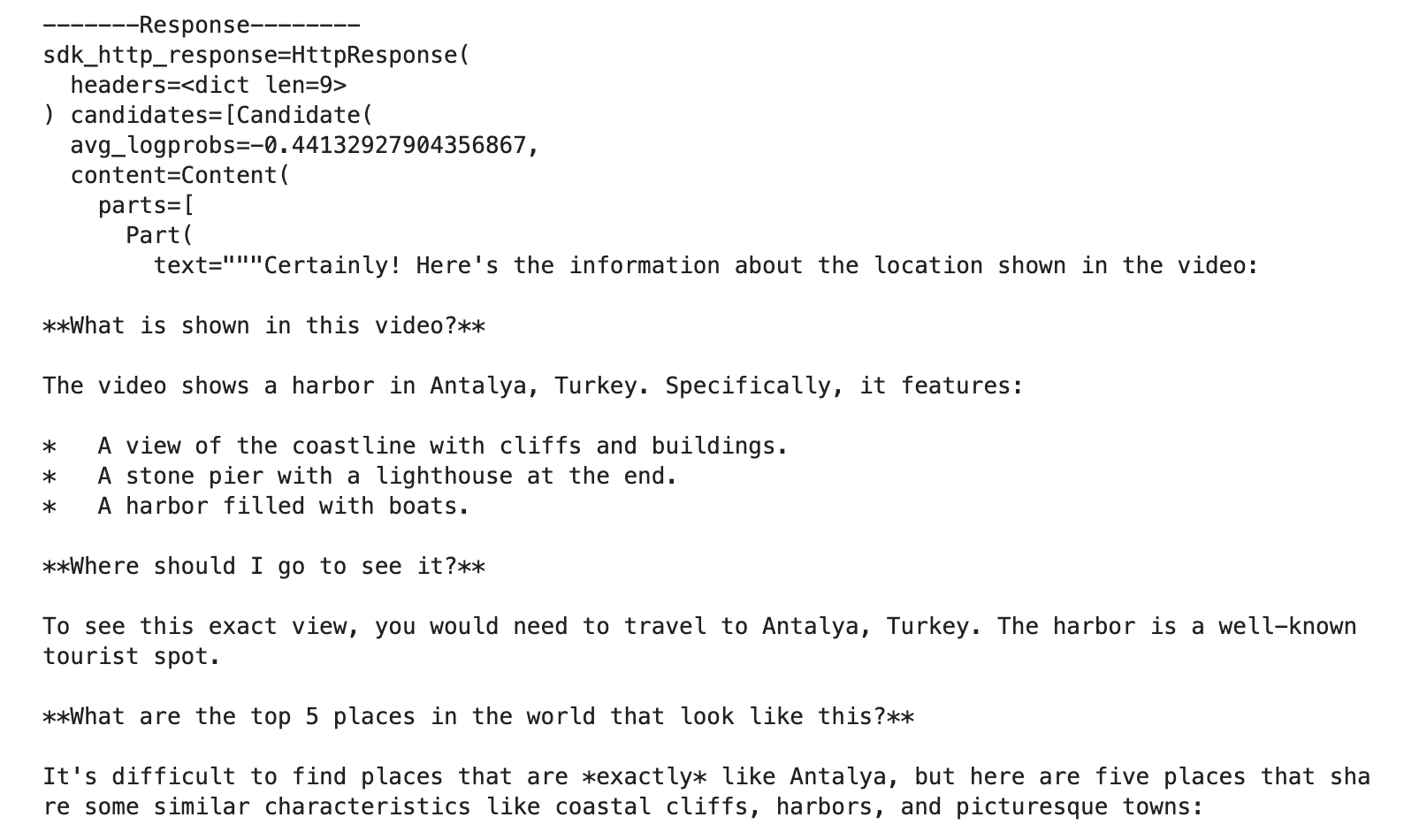
그치만 이 코드로는 절대 Lab Process 버튼이 통과하지 않았다.
Please ensure that you have completed the python code in cells of a Jupyter notebook to describe contents of a video of Gemini LLM. 라는 에러메시지만 뜸.
UPDATE 하라고 명시되어있는 부분 말고는 건드리지 말아야하는 듯..
정답은 generate_content_stream 메소드로 호출하는 것이었다. stream 으로 호출시에는 for 문 내부에서 response.text가 잘 출력되었고, task도 문제없이 통과하였다.!
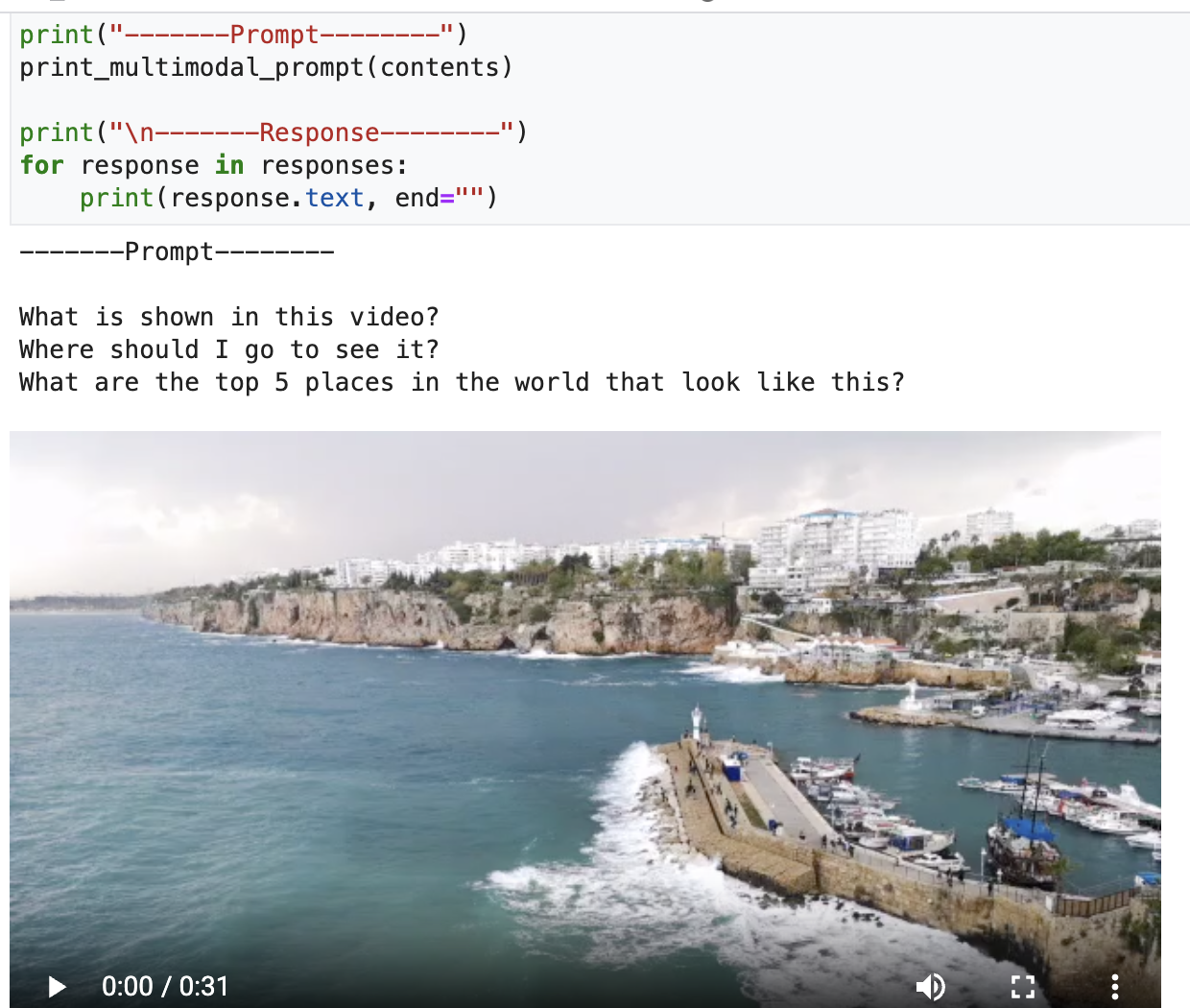
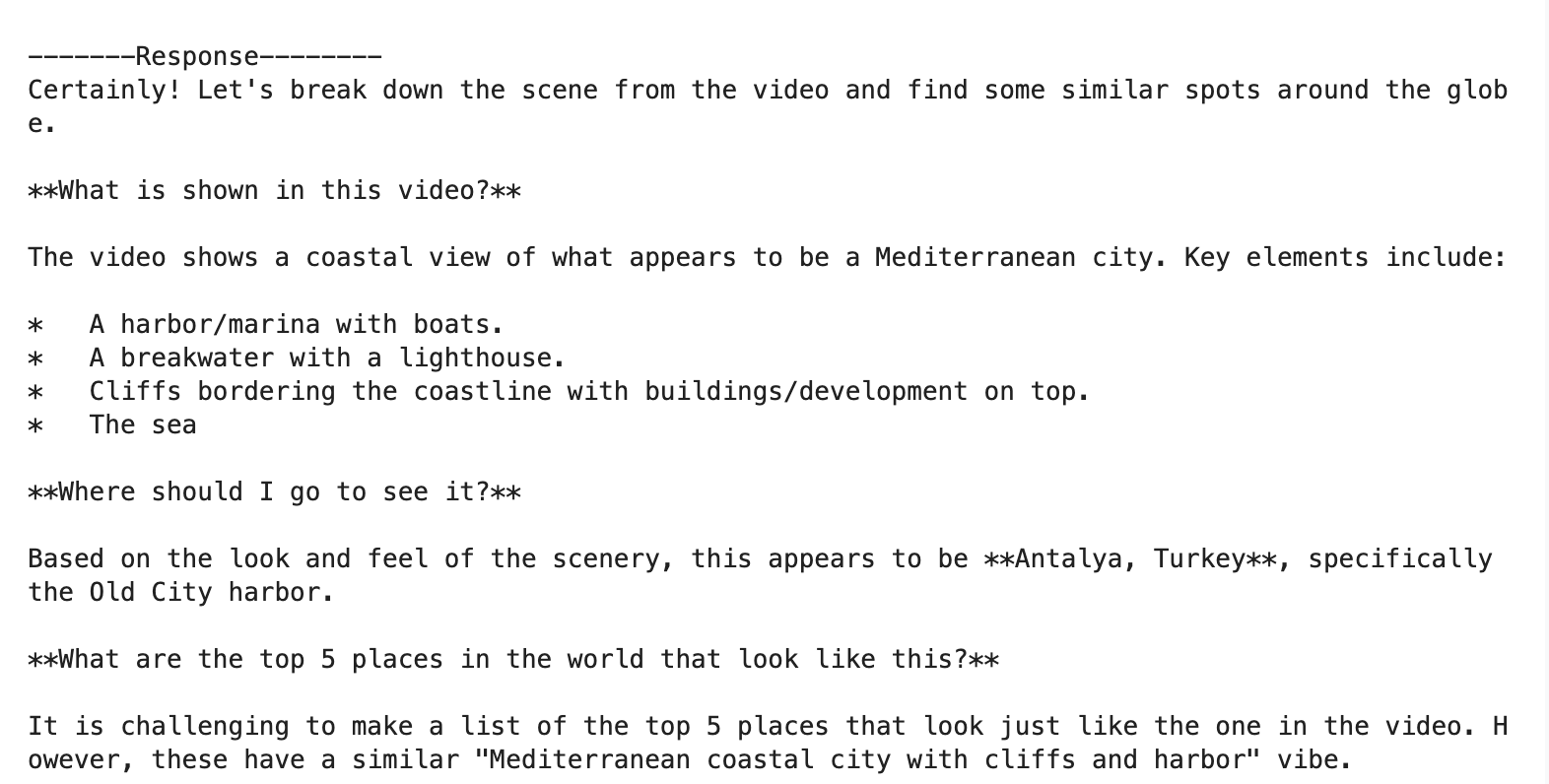
그럼 위와같이 Response가 실시간으로 한줄 한줄 추가되면서 잘 출력된다.
Refs
텍스트 생성 | Generative AI on Vertex AI | Google Cloud
의견 보내기 텍스트 생성 컬렉션을 사용해 정리하기 내 환경설정을 기준으로 콘텐츠를 저장하고 분류하세요. 이 페이지에서는 Google Cloud 콘솔, REST API, 지원되는 SDK를 사용하여 Gemini 모델에 채팅
cloud.google.com
함수 호출 참조 | Generative AI on Vertex AI | Google Cloud
의견 보내기 함수 호출 참조 컬렉션을 사용해 정리하기 내 환경설정을 기준으로 콘텐츠를 저장하고 분류하세요. 함수 호출은 관련성이 있는 상황별 답변을 제공하는 LLM의 기능을 향상시킵니다.
cloud.google.com
Vertex AI에서 Gemini API로 콘텐츠 생성 | Generative AI on Vertex AI | Google Cloud
Vertex AI에서 Gemini용 Model API를 사용하여 커스텀 애플리케이션을 만듭니다. Gemini 모델 요청 본문, 모델 매개변수, 응답 본문, 샘플 요청 및 응답을 검토합니다.
cloud.google.com
'Google Cloud Platform' 카테고리의 다른 글
| Build a Website on Google Cloud: Challenge Lab (1) | 2025.09.11 |
|---|---|
| Set Up a Google Cloud Network (2) | 2025.08.23 |
| Develop GenAI Apps with Gemini and Streamlit | feat. WebSocket error (0) | 2025.08.18 |
| Introduction to Function Calling with Gemini (0) | 2025.08.11 |
| Getting Started with the Gemini API in Vertex AI with cURL / REST API (1) | 2025.08.07 |